INTEL EDISON
Edison is a SD Card sized computing module made by Intel® with the vision of making wearable devices more powerful and small enough. Edison is more powerful then it look in size its come with 32-bit Intel® Atom™ Processor clocked at 500MHz, 1GB RAM, 4 GB eMMC FLASH Memory, WiFi, Bluetooth, UARTS, I2C, SPI, 40 GPIO.

Intel Edison support Linux OS based on yocto and we can program the edison board on c,c++, nodejs, Python ,Arduino,etc.
INTERFACING WITH EDISON
Edison is very small in size because it is developed to use in wearable devices so a very tiny connector(hirose connector) is used which is the hard part of edison for us to interface with different modules. So while buying the edison also buy the breakout board for it. I buy the Edison with an Arduino break out board.

This Arduino expansion board is verygood to start working with Edison.
SETUP HARDWARE


For powering the edison externel adaptor is a good option because power from USB sometime not sufficient.


DOWNLOAD
After downloading all the four file above please Install them.
TALKING WITH EDISON BOARD
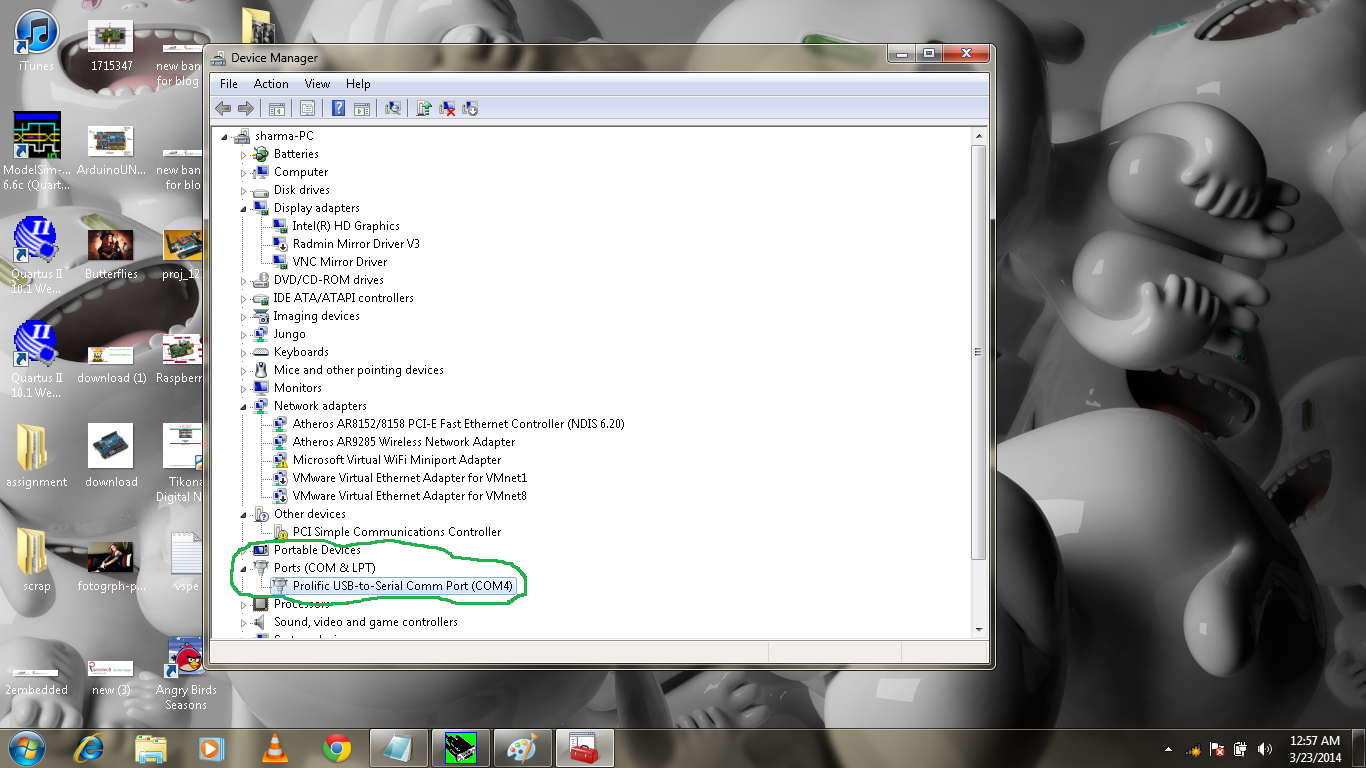
After installation open the device manager and you can see the USB serial port note down the number of your serial port.

Now Open the putty terminal emulator
And go to category on the left side on the bottom chose Serial and at the top right of the Putty Configuration dialog box, specify the following: which shown in figure
b. In the Serial Line field, type the COM # (e.g. COM7) of your board.
c. In the Speed field, type 115200.
d. From the side menu, expand the Connection options and select Serial. Specify the following settings:
e. In the Serial line to connect to field, type the COM # (e.g. COM7) of your board.
f. In the Speed (baud) field, type 115200.
g. In the Data bits field, type 8.
h. In the Stop bits field, type 1.
i. From the Parity drop-down list, select None.
j. From the Flow control drop-down list, select XON/XOFF.

Now goto the Session on the left hand side . Type a name for the configuration in the Saved Sessions field, chose the comport and speed of 115200 and serial and click on SAVE.
as in figure.

Now Click Open to connect with Edison when you see black screen please enter two times
Now login screen will displayed
type root and press Enter

If asking for password then press enter again you will be seen the promt as in the below figure.

Getting Started with INTEL EDISON
20:28